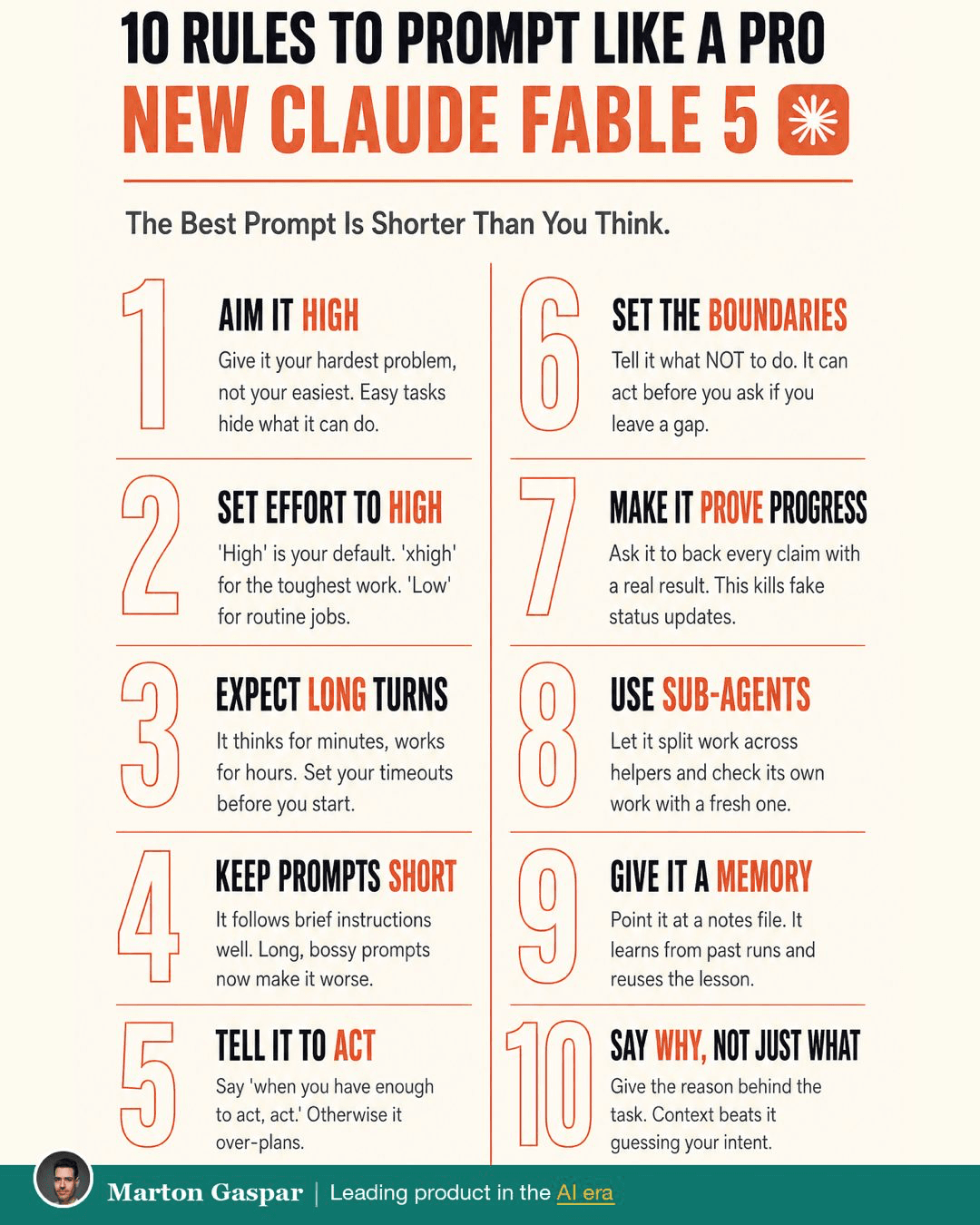
Everything you knew about prompting now works against you.
For years, good prompting meant long, careful instructions: spell out every step, add examples, repeat the important bits in capitals. Claude Fable 5 changed that. It thinks for minutes, then works for hours on a single prompt. And it rewards the opposite of most of what people practised.
The best prompt is shorter than you think. Here are ten rules, one move each, that get far more out of a model that can plan and act on its own. Read them together at the end and you'll notice they aren't really prompting tricks at all.
1. Aim it high
Give it your hardest problem, not your easiest. Easy tasks hide what a capable model can do, and you end up judging it on work that any tool could handle.
Try something like: "Here's our churn data. Find the pattern we missed and propose three fixes."
2. Set effort to high
Effort is a setting you choose before you start, and it changes the quality of the work. Treat high as your default. Use xhigh for the toughest work, such as a strategy document or a big analysis. Use low for routine admin.
Set it before you start, not after the first answer disappoints you.
3. Expect long turns
The model thinks for minutes and works for hours. That's by design, and it changes how you plan your day. Set your timeouts before you start.
Kick off the big job before your meeting. Read the finished work after.
4. Keep prompts short
It follows brief instructions well. Long, bossy prompts now make it worse, because every extra rule is one more thing to trade off against the goal.
"Redesign my website like Nike's" beats 500 words of instructions. State the outcome and cut the rest.
5. Tell it to act
A capable model can over-plan: researching, outlining and checking long after it has enough to start. If it's stuck in planning mode, give it permission to move.
Paste: "When you have enough to act, act."
6. Set the boundaries
Tell it what not to do. A model that can act will act on any gap you leave, including ones you didn't think about.
Paste: "Don't contact anyone. Ask before you delete." A few clear limits do more than a page of instructions.
7. Make it prove progress
Ask it to back every claim with a real result. This removes the fake status update, where the summary sounds finished and the work isn't.
Paste: "Show evidence for every claim: the output, the diff, the numbers."
8. Use sub-agents
Let it split big work across helpers and check its own work with a fresh one. A second pass by an agent that didn't do the work catches what the first one missed.
For a big job, say: "Split this across sub-agents, then have a fresh one review it." It works especially well on something like a five-competitor teardown.
9. Give it a memory
Point it at a notes file. It learns from past runs and reuses the lesson, so each session starts from where the last one finished.
End every session with: "Save what you learned to a notes file." It starts smarter tomorrow.
10. Say why, not just what
Give the reason behind the task. Context beats guessing your intent, and the same request produces a different result when the model knows what it's for.
Add the goal: "Draft the launch email. Goal: win back users who churned over pricing." The why changes the output.
Putting the ten together in one prompt
Here's what a prompt looks like when it follows all ten rules, for a typical product job. Set effort to xhigh first, then paste something like this:
"Here's last quarter's churn data and our pricing page. Goal: find out why customers on the annual plan are leaving and propose three fixes we could test this month. Split the analysis across sub-agents, then have a fresh one review the findings. Show evidence for every claim: the numbers, the rows, the quotes. Don't contact anyone and don't change any files outside this folder. When you have enough to act, act. Before you finish, save what you learned to the notes file."
It's short, and every line does a job. The goal and the reason are up front. The boundaries are explicit. There's a review step and a proof requirement. And the notes file means the next session starts with what this one learned. Kick it off before a meeting and read the result afterwards.
Read the ten again: it's a delegation brief
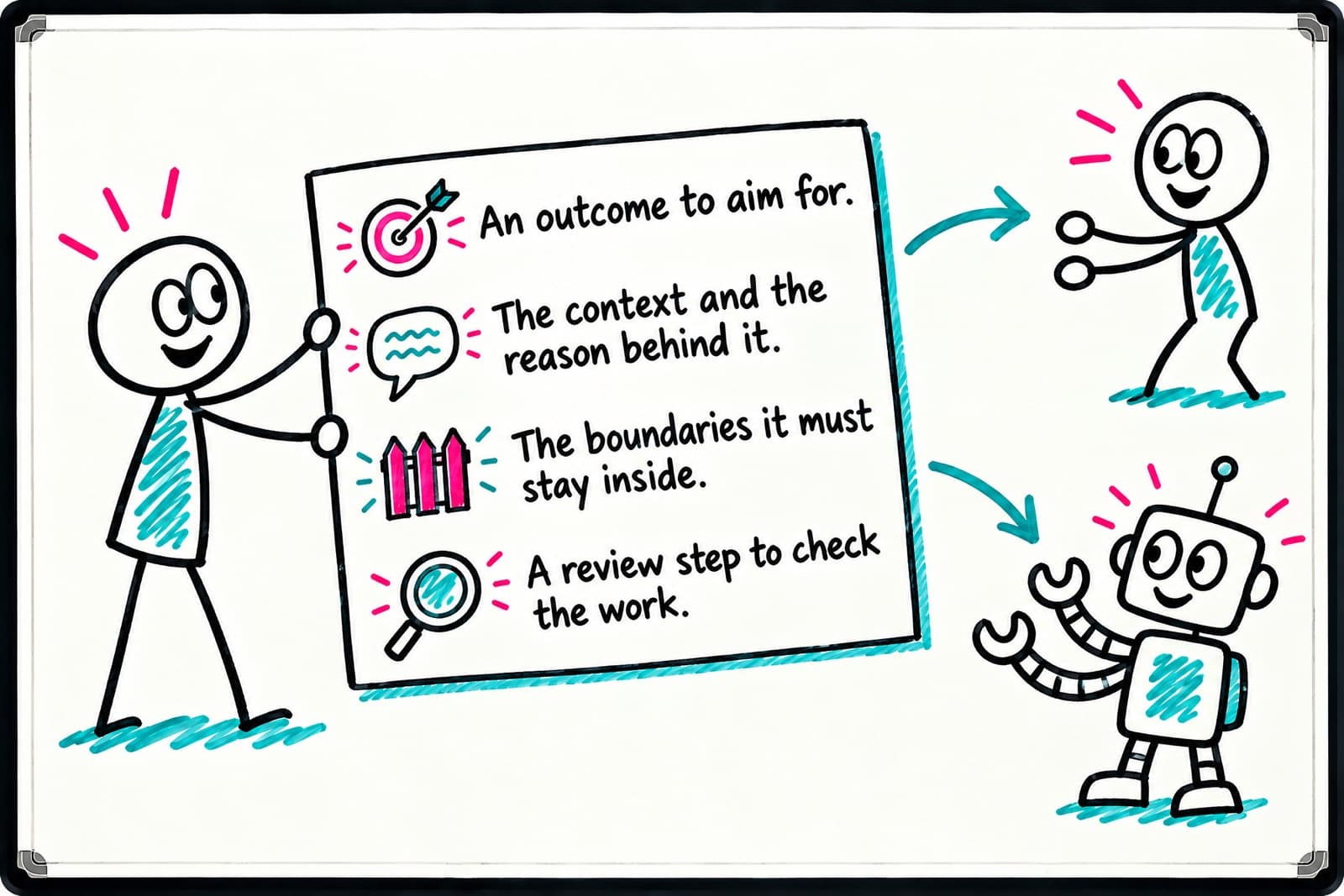
Look at the rules together and a familiar shape appears. An outcome to aim for. The context and the reason behind it. The boundaries it must stay inside. A review step to check the work.
That's the same setup you'd give a new hire. The skill that makes you good at prompting a model like Fable 5 is the skill that makes you good at delegating to people: say what good looks like, say why it matters, set the limits, and check the result. So if you already brief people well, you're closer to good prompting than you think, and practising one improves the other.
Pick the one rule you're breaking most and fix it on your next session. Mine was number 4. The PDF puts all ten on one page, so you can keep it next to your keyboard.