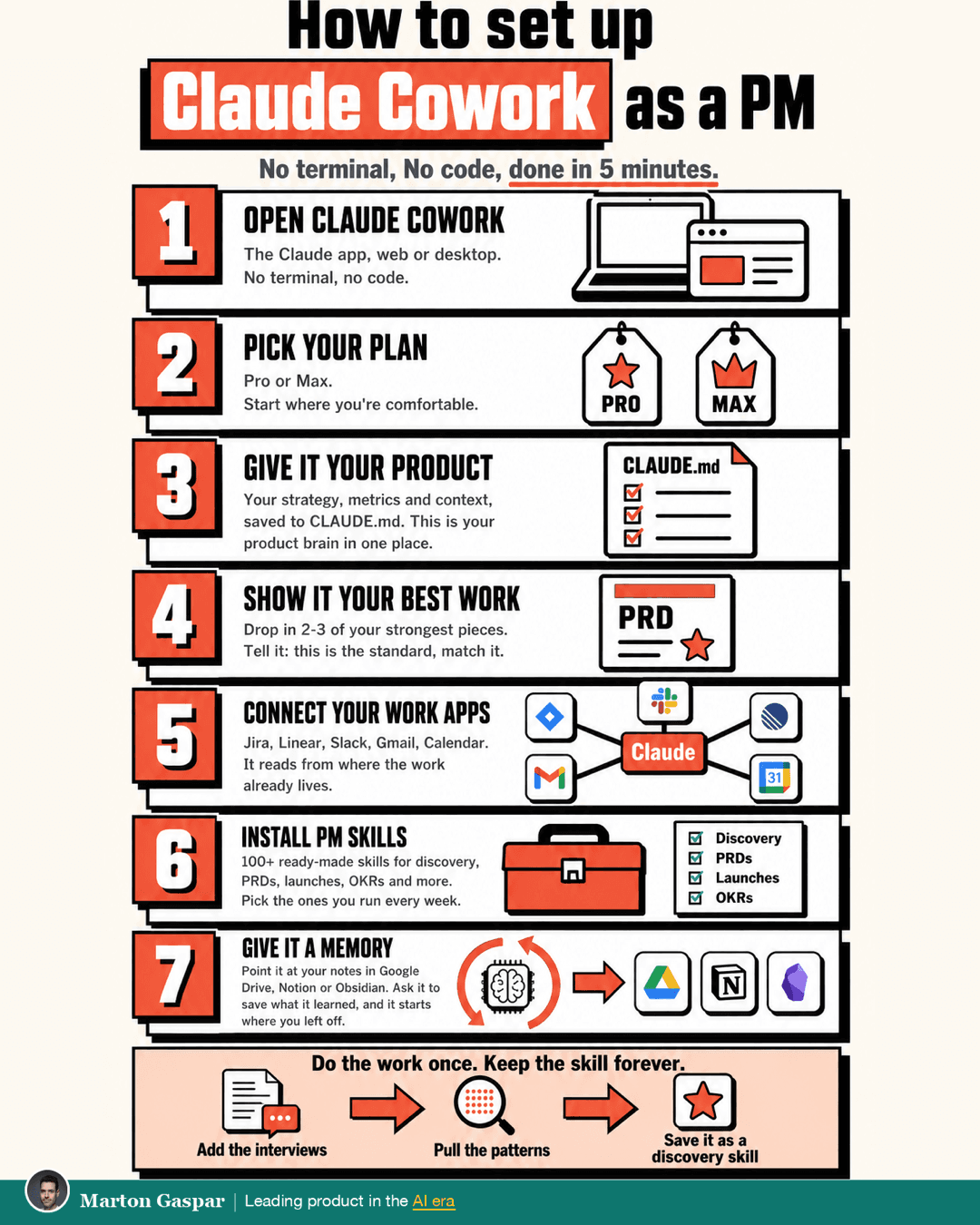
Stop the grind and run your busywork through Claude Cowork. Here is a five-minute, no-code setup you can copy.
The product managers I work with used to lose hours to PRDs, status updates and prepping for reviews. Cowork took most of that off their plate. This setup gets that time back, so you can spend it on the strategic work that actually moves the product. And the more you use it, the better it gets.
One note before you start. Tools like this change fast, so menu names and plan details may have moved since this was written. The shape of the setup is what matters, and that holds.
Open Claude Cowork
Go to claude.ai or open the desktop app, sign in with your Anthropic account, and open Cowork. No terminal, no code. If you can use a chat window, you can do the whole setup.
Pick your plan
There are two paid tiers to choose from, Pro and Max. Pro covers most PM work. Max gives you bigger context and room for heavier use. Both run on frontier models that change often. Check the current pricing, and start where you are comfortable.
Give it your product: the facts
Describe your strategy, your customer, your metrics and your priorities. Then ask Claude to save it to a file called CLAUDE.md. That file guides every action after.
Keep it under a page, and mark the non-negotiables as IMPORTANT. This is your product brain in one place. Without it, every session starts from zero and you spend the start of every session explaining your product again.
Show it your best work: the bar
Drop in two or three of your strongest pieces: a PRD, a decision write-up, a strategy memo. Then tell it, "This is the standard. Match it."
The facts tell it what your product is. The examples tell it what good looks like to you. This is the part nobody else can copy, because nobody else has your best work or your standard. Pick pieces you would be happy to see copied. Whatever you show it becomes the bar, so a weak example sets a weak one.
Connect your work apps
In Settings, go to Connectors, choose Add, and pick the app. Jira or Linear for tickets, Slack for the team, Gmail and Calendar. Authenticate once, and every session can see your live work. It reads from where the work already lives, so you stop pasting it in. A status update drafted from this week's tickets and messages starts much closer to the truth than one drafted from whatever you remembered to copy across.
Install PM skills
In Settings, open Capabilities, then Skills, and turn Skills on. Click to add a skill, paste one in from a PM skill library, or ask Claude to build one for you.
There are 100+ ready-made skills covering discovery, PRDs, launches, OKRs and postmortems. Pick the ones you run every week. A good first one to try: "Turn these 5 customer interviews into themes."
Give it a memory
Point it at where your notes live: Google Drive, Notion or an Obsidian vault. At the end of a session, ask it to save what it learned there. Next session it reads that back first, so it starts where you left off.
That is what "better the more you use it" actually means. It is not getting smarter on its own. It is building up a record of your product and your preferences that it reads every time.
The call is still yours
Cowork does the legwork. The call is still yours, so check the work before it ships. A first draft of a PRD or a status update saves you time. Deciding what goes in it, and whether it is right, is still the job.
Then make it compound: turn repeat work into skills
Any process you repeat, turn it into a skill.
Run it once in Cowork: a PRD, a retro, a research write-up. When the output is right, ask Claude to save it as a skill. Name it, tweak the steps, and next time just run the skill.
Do the work once. Keep the skill forever.
That is the difference between learning a tool and building a system. Tools change every month. The system you keep improving doesn't. I run most of my recurring work through skills like this now, and the chat box ends up being the least interesting part.
If you want to go further than speed, Rebuild the Product Manager Job, Don't Just Do It Faster (/vault/rebuild-the-product-job) covers what changes when you rebuild the work rather than just doing it quicker.