
Claude Skill
The PRD Writer
Published
Turn a rough idea into a spec a team can build from, without a meeting to decode it. It drafts, critiques its own draft against a rubric, and rewrites the weak parts before you ever see it.
Want the skill?
Install & use
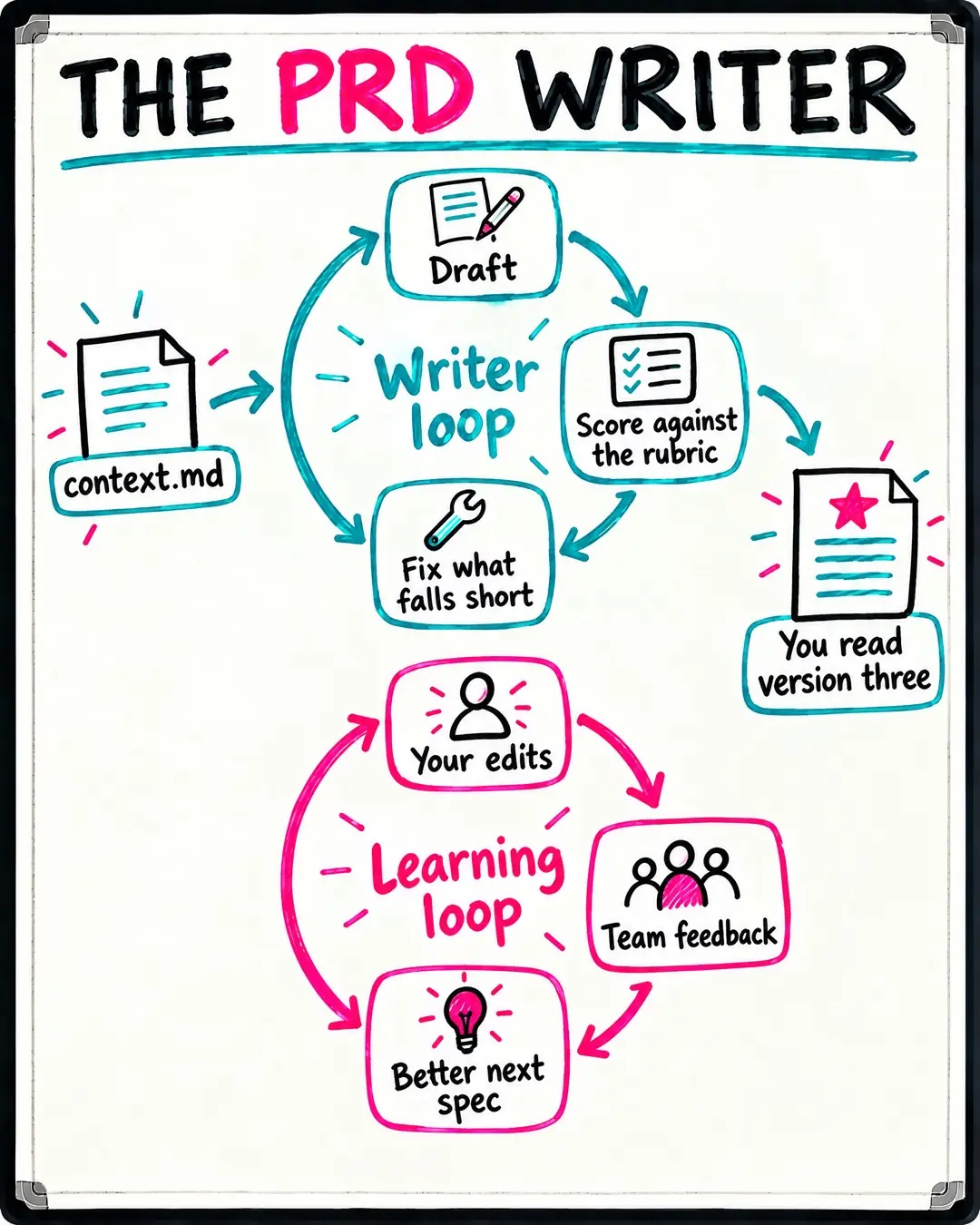
Two loops. The writer loop drafts, scores itself against a rubric, and fixes what falls short, so the version you read is already the third one. The learning loop reads the edits you made and your team's feedback, then proposes changes to how future specs get written. It reads your context.md if you have one, so it starts from your product and your standards instead of a blank page. The more you use it, the more it writes like you.
- 1
Download the ZIP and unzip it. You get a prd-writer folder.
- 2
In Claude, open Settings, then Customize, then Skills, click +, and upload the folder (re-zip it if prompted). Make sure code execution is on.
- 3
In any chat, type /prd-writer, or just ask Claude to write a PRD for something.
Questions people ask
- How is this different from asking Claude for a PRD?
- It drafts, scores its own draft against a rubric, and fixes what falls short before you see it. The version you read is already the third one.
- Does it learn from my edits?
- Yes. The learning loop reads the edits you made and your team’s feedback, then proposes changes to how future specs get written.
- Does it need my context file?
- No, but it reads your context.md if you have one, so it starts from your product and your standards instead of a blank page.
- Where does it run?
- Claude Code, Claude Desktop, Claude Cowork and Claude.ai on the web. Make sure code execution is on.